





Skip to content
Order Builder

Streamline your order-to-cash process

Empower users across channels to effortlessly sell subscriptions and automate intricate product-price decisions to increase sales efficiency.

Illustration showing subscription business management with shopping cart and product catalog on left, payment processing and customer profiles in center, and promotional discount controls and upgrade options on right
Benefits

Simplify order entry
for all users

The Order Builder enables users of all expertise to easily select products with automated pricing and customize deals within their permissions.

Order management and workflow control icon with connected nodes representing rules, conditions, and automated decision-making in sales processes

Remain in control of every sale

Establish a well-structured order entry environment with predefined product groups and orchestrate decisions using rules, conditions, and tags.

Time optimization and user onboarding icon showing clock with user profile, representing streamlined order creation and automated user setup processes

Reduce time for order creation & user onboarding

Guide users through product-price complexities with streamlined options, automating dependencies and price shifts for different scenarios.

Omnichannel order entry icon showing shopping cart with circular refresh arrows, representing centralized orchestration and streamlined order processing across multiple sales channels

Streamline order entry across channels

Quickly roll out new products or pricing to direct sales and partners from a central orchestration engine.

Order Builder

Capability overview

Orders & Quotes

Enable users to create both direct sales orders and quotes through a sleek and intuitive interface. 

 Dynamic Product Selections 
 Predefined Subscription Plans
 Order Channels

keylight Orders Quotes interface showing order number 0-000475, account channels, product selection with pricing, summary charges, and workflow actions (Enable approvals, Add products, Use custom fields, Automate discounts)

Order Customization

Enable flexible overrides for straightforward cases and automate processes tailored to specific scenarios.

 Custom Terms
  Automated Proration
  Billing Period Alignment
  Approval Processes
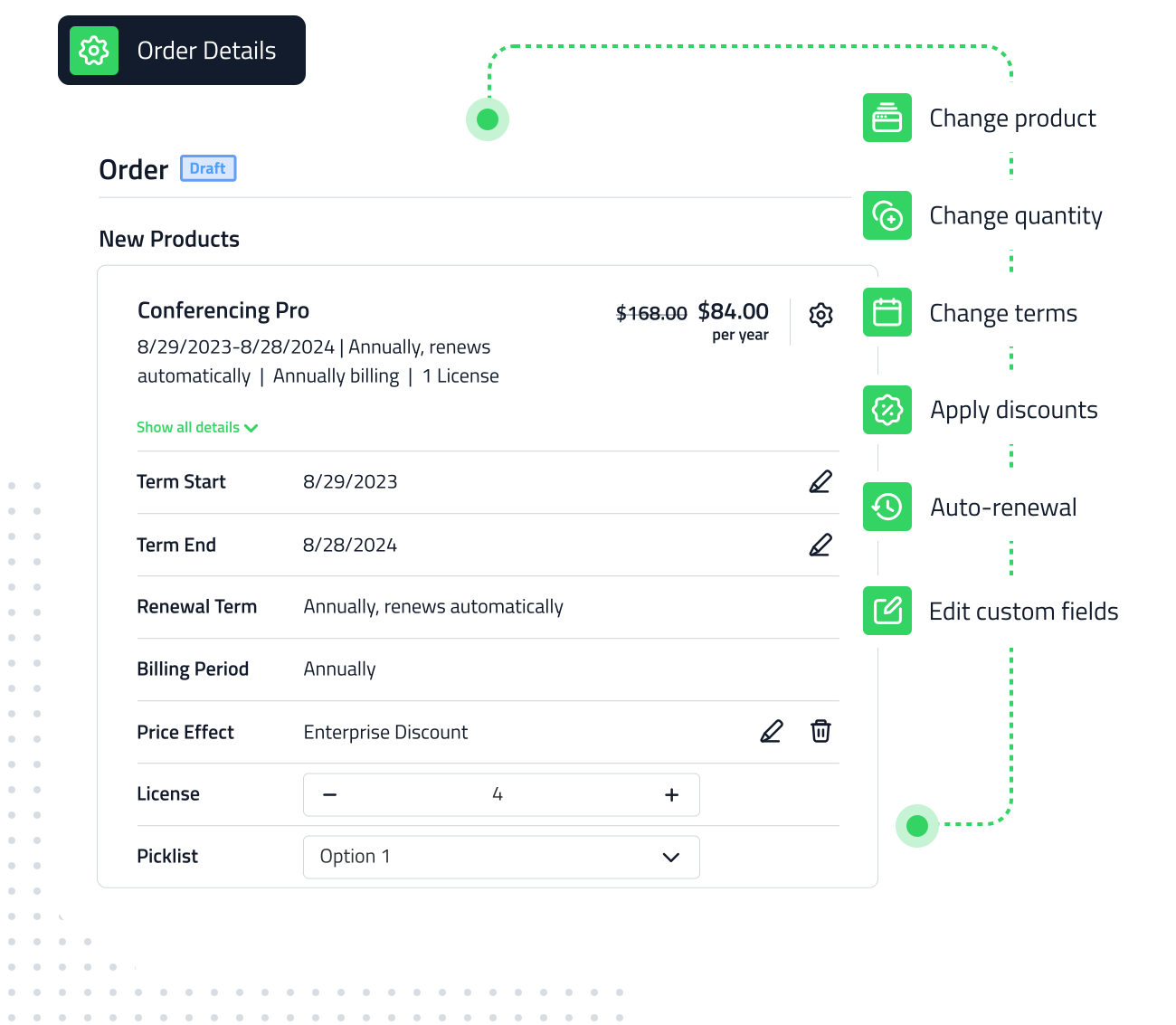
keylight Order Details interface showing product customization options including pricing, terms, discounts, and renewal settings with workflow pathway

Product Rules

Automate decisions triggered by dependencies, customer segments, existing subscriptions, and more.

  Product Actions
  Hidden Price Effects
  Up- & Downgrade Effective Rules
 Conditions & Tags
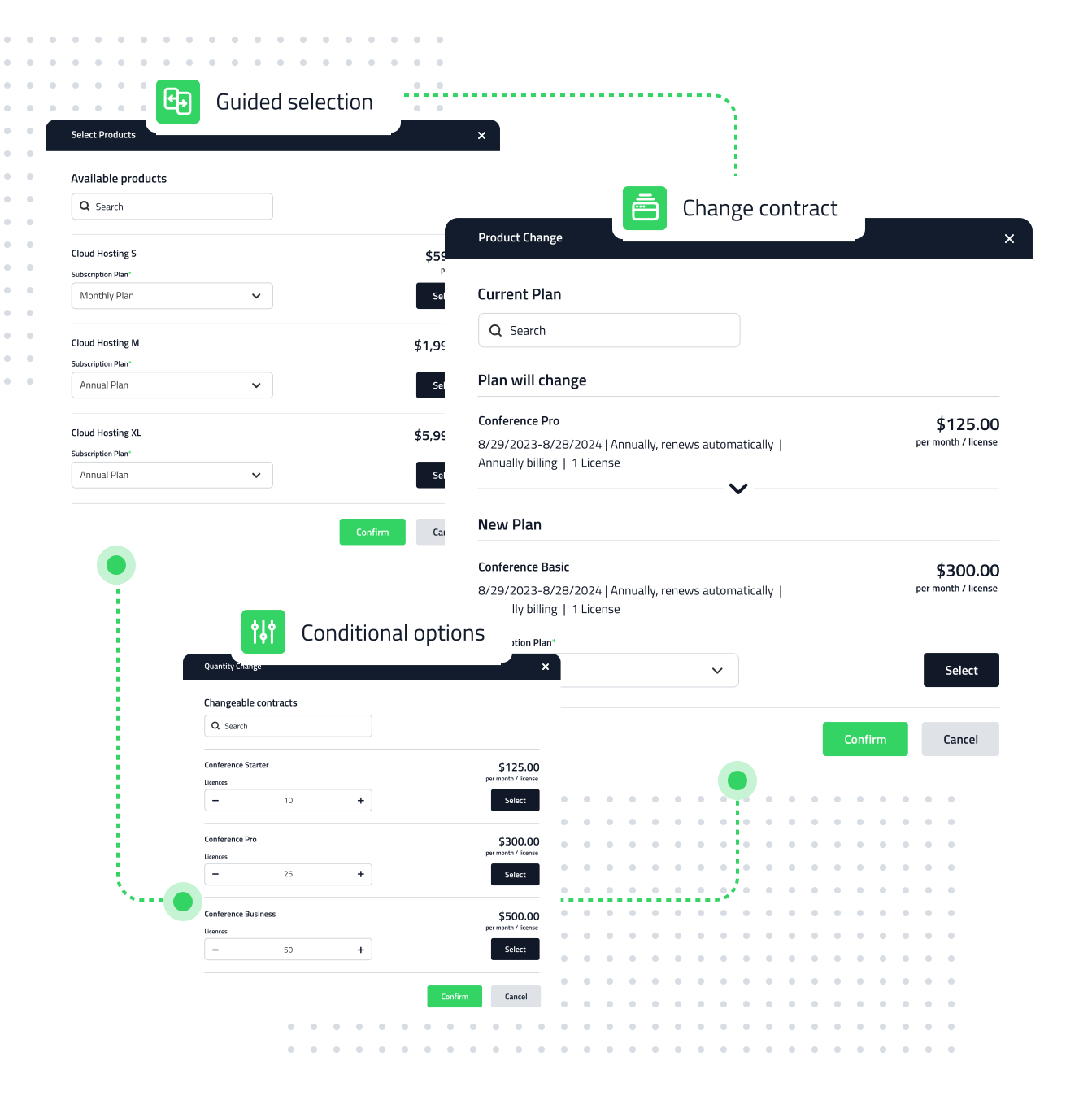
Illustration of keylight Product Rules with guided selection, conditional options for plan changes, and automated decision-making based on dependencies
All Capabilities

Streamline your sales
operations in one place

Segment and channel offerings icon showing megaphone, representing configuration of available products, term and billing period options for diverse sales scenarios across different customer segments and channels

   Orders & Quotes

Define offerings for segments & channels

Configure available products, term and billing period options for diverse sales scenarios.

-

Dynamic product selection icon showing layered product catalog with conditional logic for presenting products based on channels and customer profilesDynamic Product Selections
Group products and apply conditions to present them based on channels and customer profiles.

-

Predefined subscription plans icon showing pointing hand with checkmark, representing easy plan selection and assignment for users in the Order BuilderPredefined Subscription Plans
Assign available plans to products, allowing users to easily select them in the Order Builder.

-

Order channels icon showing hierarchical distribution network, representing Sold-To, Bill-To, and Distributed-To roles for streamlined order and billing workflowsOrder Channels
Configure Sold-To, Bill-To, and Distributed-To roles to streamline order and billing workflows.

Order customization icon showing gear symbol, representing flexible order configuration with robust logic for term and price calculations while connecting internal workflows

   Order Customization

Enable flexibility for users & customers    

Leverage robust logic for term and price calculations while connecting internal workflows. 

-

Custom terms icon showing calendar with edit pencil, representing the ability to modify term start and end dates for quick co-terming in subscription managementCustom Terms
Allow users to modify term start and end dates for quick co-terming in simple use cases.

-

Automated proration icon showing user profile with bar chart, representing immediate price and term calculations for order adjustments and overridesAutomated Proration
See immediate price and term calculations with order adjustments and overrides.

-

Billing period alignment icon showing clock with database, representing automatic alignment of order invoice dates with customer billing preferencesBilling Period Alignment
Automatically align the order invoice date with how each customer wishes to be billed.

-

Approval processes icon showing checklist with pen, representing order verification and approval workflows to ensure accuracy for specific customer accounts and business situationsApproval Processes
Ensure order accuracy for specific customer accounts or business situations.  

Product rules icon showing three adjustment sliders, representing automated configuration of product-price decisions to streamline sales processes and shield order complexities from users

   Product Rules

Configure rules to streamline your sales process and shield order complexities from users.

-

Product actions icon showing shopping cart with plus sign, representing automatic addition of child products and add-ons, or scheduling changes to offeringsProduct Actions
Automatically add child products and add-ons, or schedule changes to your offerings.

-

Hidden price effects icon showing magnifying glass with bar chart and circular arrows, representing background price adjustments that reevaluate scenarios automaticallyHidden Price Effects
Manage price adjustments that operate in the background and reevaluate scenarios.

-

Up- and downgrade effective rules icon showing bidirectional arrows between boxes, representing configuration of how subscription changes take effect across different scenariosUp- & Downgrade Effective Rules
Configure how subscription changes should take effect for different scenarios.

-

Conditions and tags icon showing tag label with checkmark, representing conditional automation rules that validate when specific conditions and tags applyConditions & Tags
Enhance automations by incorporating conditions to validate when the rules apply.

keylight-logo-3
The subscription business platform
that's ready for the future